Hi, how can we help?
How to Transfer Stock Positions from uSmart Securities to Bitget (PARSA)
The process involves two main steps:
- Submit a Transfer-in request on Bitget (PARSA).
- Contact uSmart customer support to complete the transfer form and submit a Transfer-out request.
Below are the detailed instructions.
1. Submit Stock Transfer-in Request on Bitget (PARSA)
Please follow the instructions below and refer to the in-app screenshots to operate within the Bitget App – Stock+ Channel:
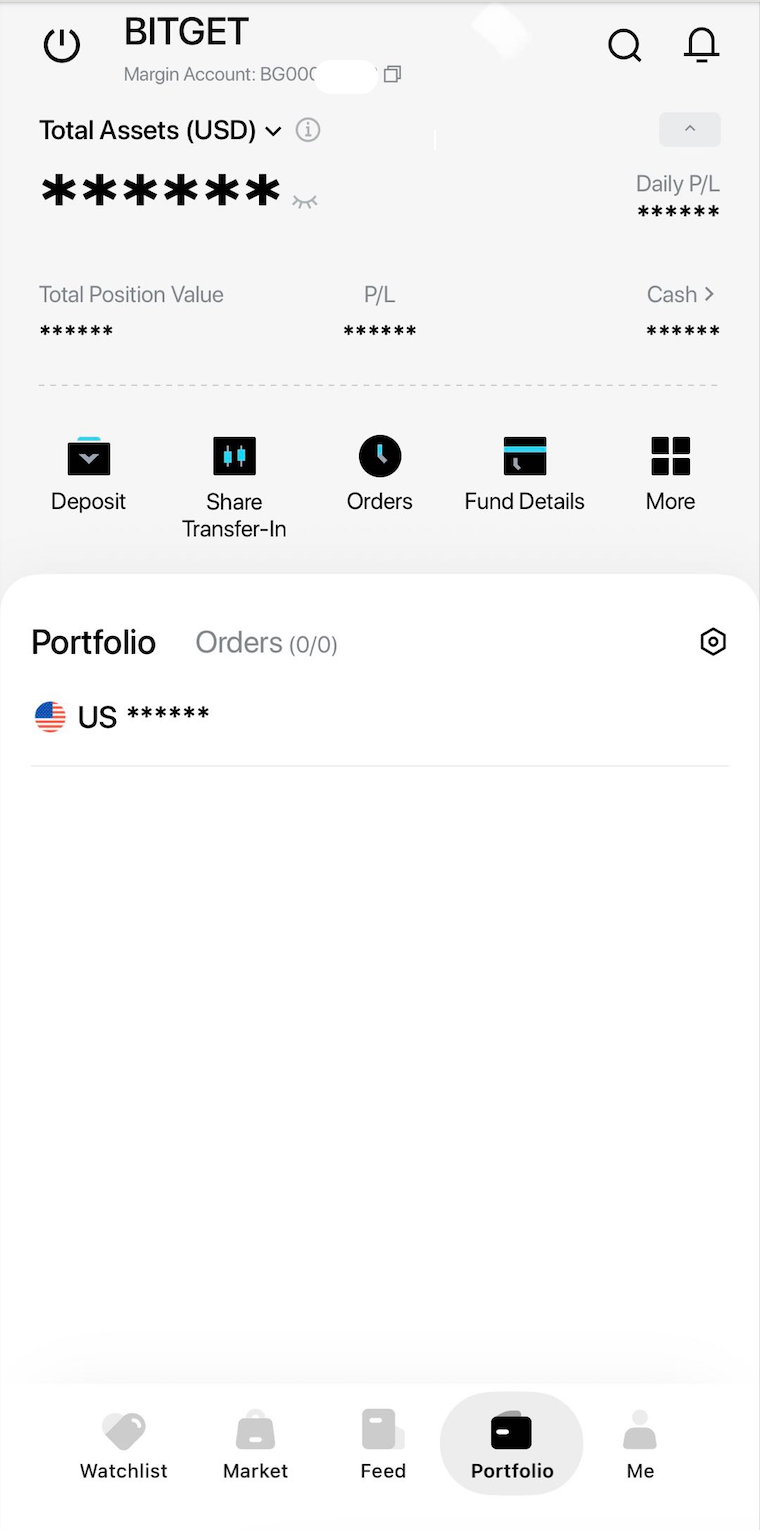
Step 1: Go to the「Portfolio」page in the Bitget App, click Share Transfer-in, and then select "Understood, Transfer Stocks Now".
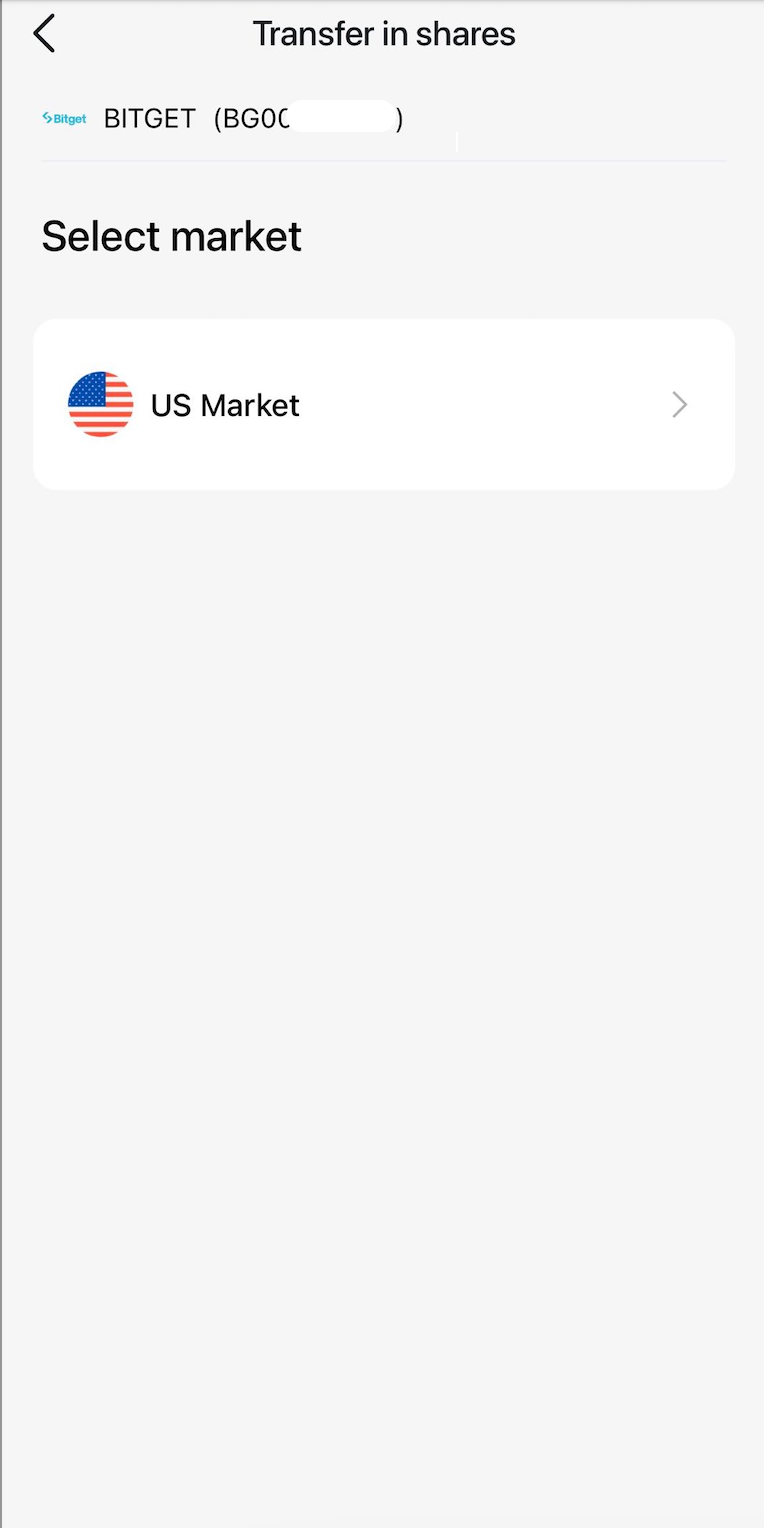
Step 2: Select "US Market".
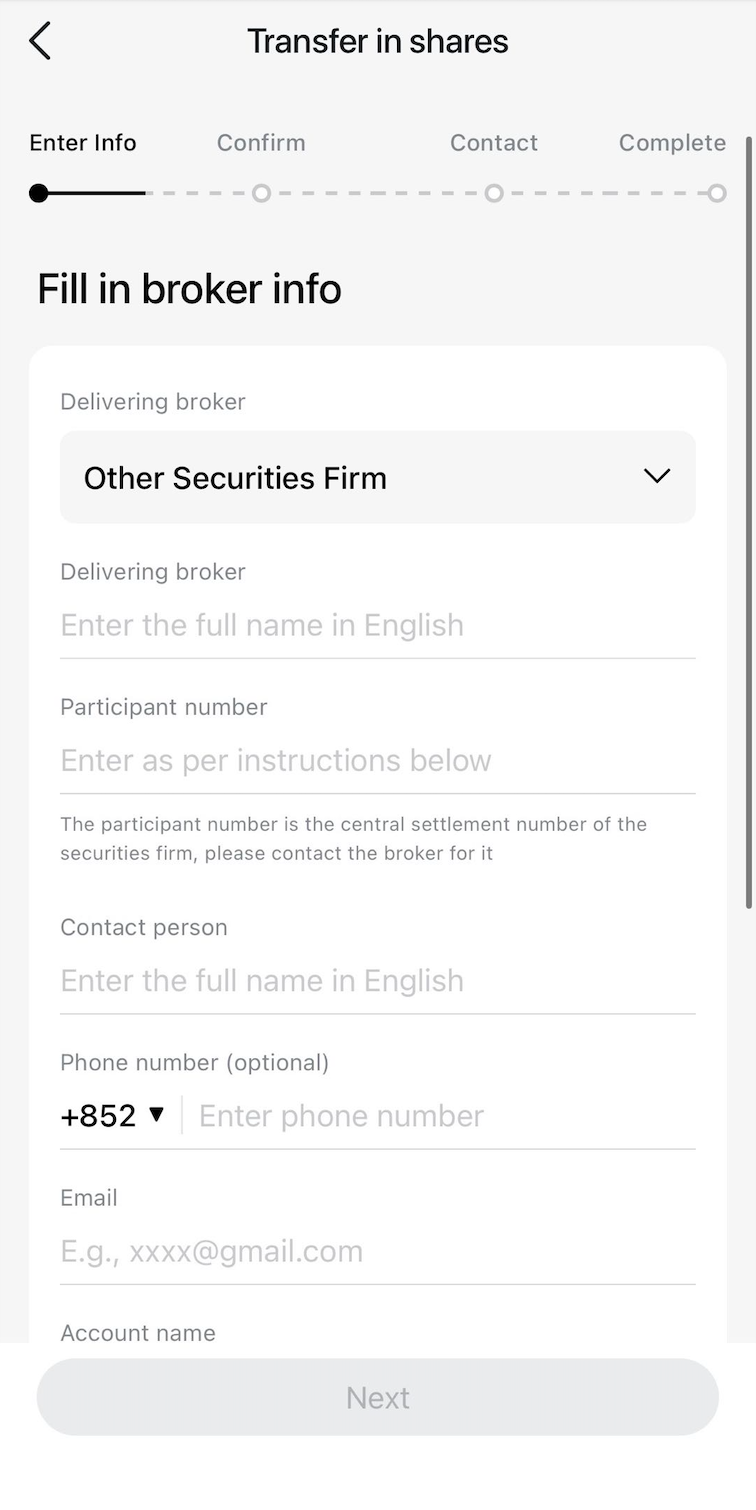
Step 3: Select "Other Securities Firm" and fill in the uSmart Securities information as follows:
- Receiving Broker Name: uSmart Securities Limited
- Participant ID: #3856 (for Cash Accounts) or #0534 (for Margin Accounts)
- Contact Person (English): Settlement Department
- Contact Email: settlement@usmarthk.com
- Account Name: Select your name
- Account Number: Enter your uSmart account number.
Step 4: Enter Stock Information: Stock Symbol, Quantity, and Cost Basis per Share.
Note: The cost basis per share you enter is for display purposes only within the App and does not affect the actual cost basis of your positions.
Step 5: After initiating the transfer-out from uSmart Securities (see Section 2 below), return to the Bitget App and click "Contact Already" to remind Bitget to process your transfer-in request.
 |  |  | 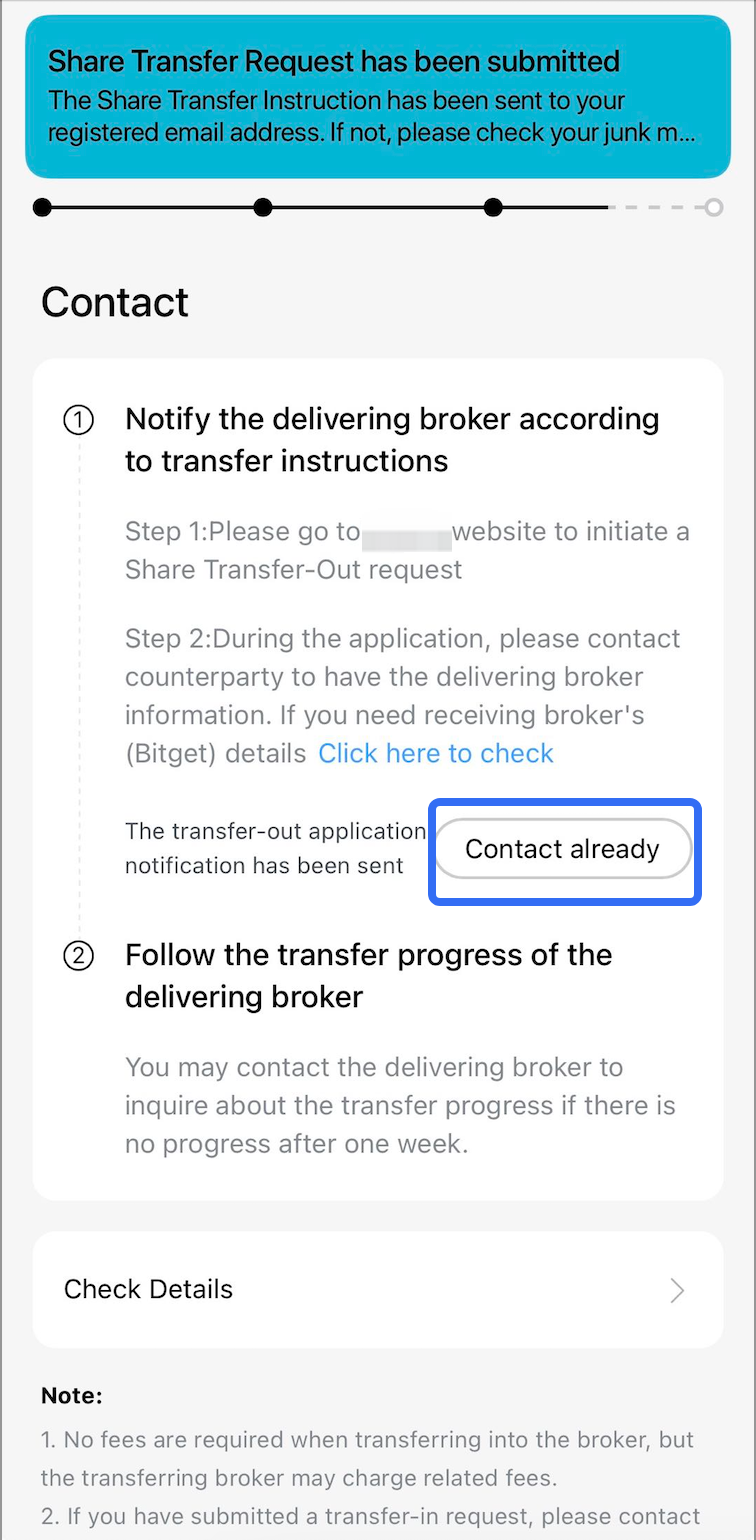 |
- You can modify transfer details in "Check Details".
2. Initiate Stock Transfer-out from uSmart Securities
1. Obtain the "Transfer Instruction Form"
This document can be downloaded from the uSmart official website or requested via email from uSmart Customer Support.
2. Complete the Transfer Form
- Receiving Broker Bitget/PARSA Information:
- Receiving Broker Name: Parsa Financial Services Proprietary Limited
- DTC Number: 4305
- Brokerage Account Number: Your Bitget brokerage account number (starts with "BG")
- Account Name: Your account name on Bitget (must match the name on both accounts)
- Tax Identification Number: None
- Settlement Date: Select expected date
- Recommendation: Choose two business days after your assets are fully settled. (Example: If your assets are fully settled on Monday, you may select Wednesday as the settlement date.)
- Contact Person: Settlement Department
- Contact Phone: (60) 129572380
- Email: settlement@bitget.com
- Delivering Broker uSmart Securities Information:
| Broker name | Account type | DTC | Contact name | Contact email |
|---|---|---|---|---|
| uSmart Securities Limited | Cash | DTC 3856 | Settlement Department | settlement@usmarthk.com |
| uSmart Securities Limited | Margin | DTC 0534 | Settlement Department | settlement@usmarthk.com |
3. Send the Form to uSmart Customer Support to Submit the Transfer-out
Take a photo of the completed form and email it to the uSmart Customer Support email address.
Notes:
- Please confirm all information based on actual requirements; the information above are for reference only.
- After completing the steps above, please wait patiently. Settlement teams from both parties will follow up on your transfer instruction. Transfers typically take 7–15 business days to complete.
- Securities transfer requests may be rejected due to outstanding debts, negative balances, etc. Please check your account status before initiating a transfer.
- Fees: PARSA does not charge a fee for incoming transfers from other brokers. However, the outgoing broker may charge a transfer fee.